


Quick overview:
Ein Betriebssystemleben ist meist lange und von vielen Strapazen gezeichnet. Sie werden mit der Zeit und dem vielen Arbeiten mit Windows feststellen, dass es immer langsamer, träger und instabiler wird. Es fährt nicht mehr so schnell hoch und legt hier und dort eine unerklärliche Pause ein. Windows Tweaks verrät ihnen noch früh genug, wie Sie das effektiv verhindern können damit auch Sie lange Zeit Freude mit ihrem PC haben.
Rule no.1 - Do not install unnecessary programs
Im Internet oder auf Heft CDs der Magazine finden Sie oftmals Miniprogramme, die auf den ersten Blick ihr Leben erleichtern, welche Sie aber kaum benötigen und nur wenig Sinn haben. Je mehr davon installiert ist, desto mehr bläht sich die Windows Registrierung auf. Diese Kernzentralre von Windows wird durch ihre Größe für das Betriebssystem kaum immer schwieriger verwaltbar und Sie benötigt auch durch die vielen Einträge der sogenannten Freewareprogramme mehr Arbeitsspeicher. Die Folge: Windows reagiert langsamer und häufig mit Instabilitäten.
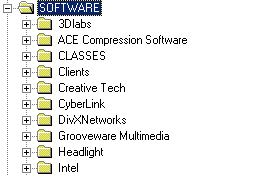
A tidy registry is the key to stability and speed
I therefore recommend that you avoid installing unnecessary software and don't install everything that comes along. Keep your system clean, clear and fast!
You're probably wondering why you can't just delete the programs and be done with it. Wrong: Despite successful uninstallation, the applications leave behind remnants that even experienced users fail to remove.
Recommendation: If you do need one or two freeware programs, it is advisable to use a so-called registry cleaner after deleting, which deletes all entries from the Windows registry database that are no longer required. I recommend the program RegCleaner, which comes directly from Microsoft. Unfortunately, the software company from Redmond no longer supports the program, which is why you have to resort to downloads from CHIP. Here you can get RegCleaner!
The program is very easy to use and run, so I won't give you any tips as they would be unnecessary!
Rule No. 2 - Constantly defragment and check the hard disk
Eine Festplatte muss aufgeräumt werden damit Sie mit ihrer optimalen Geschwindigkeit läuft. Programminstallationen und Löschungen bringen viele Datenfragmente mit sich, die sich nach und nach über die Festplatte zerstreuen. Der Schreib- und Lesekopf der Festplatte muss also unnötige Operationen durchführen, was Zeit und Nerven kostet. Eine Defragmentierung behebt diesen Geschwindigkeitsverlust und sorgt für schnelles und effizientes Arbeiten.
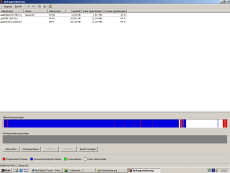
Defragmentation ensures optimum hard disk speed
Copying, moving and deleting a lot of data can also cause disk errors, which can be very serious. Suddenly switching off the computer also causes such errors, which you should definitely fix with the ScanDisk program. Windows will continue to save data on these faulty parts of the hard disk, which can of course lead to data loss.
Rule no.3 - Perfect Windows 2000 completely with system tuning
Die gute letzte Regel besagt, dass Sie sämtliche Tuningtipps von Windows Tweaks zum Thema Windows 2000 durchführen und so ihr System weit über seine Grenzen beschleunigt - so wie es Microsoft ursprünglich nie vorgesehen hatte.
NOTE FOR NEW PUBLICATION: This article was produced by Sandro Villinger and comes from the Windows Tweaks archive, which has been built up since the late 1990s.

On Windows Tweaks you will find time-saving tech guides for PC, software & Microsoft. For a stress-free digital everyday life. Already We have been tweaking Windows since 1998 and just don't stop!
