


Quick overview:
Who would have thought that we would live to see this? Windows gaming is coming to ARM chip devices. Previously, gaming on ARM chips was more for nerds who like to limit-test systems, but that has now changed. With the KB5066835 update, the Prism emulator receives AVX and AVX2 support - a real game changer for Snapdragon laptops.
What is AVX?
The abbreviation AVX stands for Advanced Vector Extensions; it is a technology that is used in current CPUs to speed up calculations. This is a must for many current games. The problem: ARM chips such as the Snapdragon X Elite use a different language to Intel or AMD processors. Until now, Windows had to laboriously implement these AVX commands, or they simply did not run.
Thanks to the new update, this translation suddenly works really well. Games that previously crashed at startup now work. Games that were unplayable at 5 FPS suddenly reach 30-40 frames. No wonder at gaming level, but for ARM laptops it's a big step forward.
What's going on right now?
The community is currently trying out all sorts of things. It is surprising that even older AAA titles such as "The Witcher 3" or "GTA V" are still running very well. Indie games anyway - titles like "Hades" or "Hollow Knight" run flawlessly. Strategy games such as "Civilization VI" in particular benefit because CPU emulation is now significantly improved.
The latest blockbusters are more difficult. "Cyberpunk 2077" is at least running now, but it's barely playable. "Starfield" is also running, but you have to be patient. ARM is still not the best choice for such titles. Before the update, it was unthinkable that they would start at all.
Exciting: A large number of Game Pass games now run on ARM. Microsoft is making targeted optimizations for its own hardware. This has the potential to develop in the medium-term future.
Provide manual support
One small disadvantage: The new functions are not automatically activated everywhere. Microsoft only allows AVX for programs that have been tested. To experiment, you have to go into the Windows settings yourself and activate AVX for individual games.
This carries a certain risk. Some games then run unstable or crash completely. However, if you like tinkering and have a certain understanding of technology, you can definitely achieve success. The community is already discussing on Reddit and in forums which settings work for which game and which games run unexpectedly well.
Record performance correctly
In order to recognize the full potential of your ARM laptop, you should run benchmarks. With tools like 3DMark or Geekbench, you can see where you stand. However, it's not just the FPS figure that is decisive, but also the stability. A game that briefly manages 40 frames and then crashes is no better.
To test the new ARM performance, benchmarking tools that simulate real gaming scenarios are the best choice. It's not just the FPS figures that are decisive here, but also the stability and fairness of the systems. It is interesting to note that this trend towards transparency can also be seen in other areas of gaming: The Top Aviator Casinos of the Year, for example, always use certified Random Number Generators (RNG) and make their performance metrics publicly available. There, players can see in real time how random results are generated - a level of transparency that even classic PC games are increasingly adopting. The development of ARM gaming is still in its infancy, but tools such as the new Prism emulator prove it: Everything from AAA titles to browser-based games are becoming standard through measurability and traceability.
What impact will this have on the future?
In the end, nothing will really change for hardcore gamers. Anyone who is really invested in gaming is highly unlikely to own an ARM chip anyway, but a system with a decent graphics card - and what Intel and AMD deliver with these graphics cards, ARM chips will simply not be able to achieve any time soon.
The real winners, however, are casual gamers who have bought an ARM laptop for university or work. While even League of Legends probably didn't run reasonably well before the update, many smaller indie games should no longer be a problem at all - a massive quality of life upgrade!
Apple is already proving what ARM can do with the M chips. The performance is also impressive in games. If Microsoft and Qualcomm continue to invest, ARM could actually become a serious gaming platform in a few years' time. At the moment, it is still a compromise, but it is significantly better than it was a year ago.
With the Prism update, ARM gaming goes from "forget it" to "could work". Some find this perfectly adequate. For many, the classic gaming PC is still the best choice. It depends on what you need.
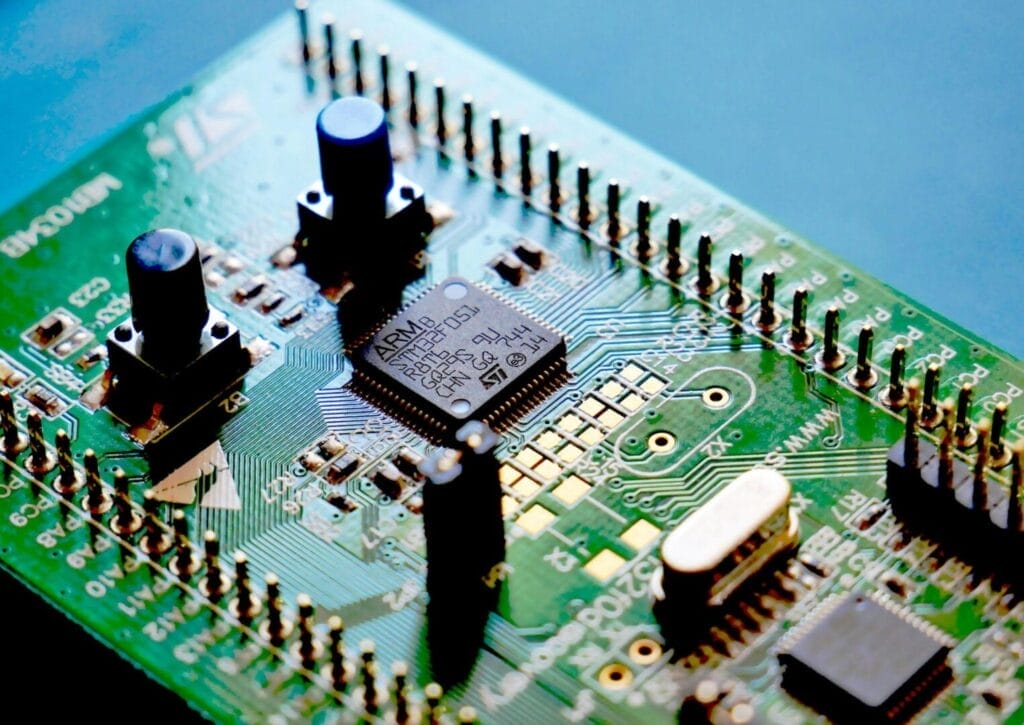
Photo by Vishnu Mohanan on Unsplash

On Windows Tweaks you will find time-saving tech guides for PC, software & Microsoft. For a stress-free digital everyday life. Already We have been tweaking Windows since 1998 and just don't stop!
Fastest Windows 10 ISO Download Pro and Home (64-bit / 32-bit) with secure links & expert installation guide
Guide: Deactivating Windows 10 / 11 updates - it's that easy!
How to disable and change Windows 10 autostart programs and start your PC faster
Fine-tuning for Windows 10: “Anniversary Update” available from July
Windows 10 update: 3D and more
Log in to Windows 10 - how to do it without an account!
More tips & guides for PC and Microsoft users
Windows 10 & 11 Guides
Windows 8, 7, XP Guides


Time-saving tips for PCs, laptops, Windows & software?
For all technology users around the globe.