


Quick overview:
Viele Windows Benutzer lieben es, Symbole bzw. Icons auf dem Desktop in einer bestimmten Ordnung anzulegen:
Multimedia-Anwendungen
Systemsym bole/Tools
Temporäre Dateien zum schnellen Zugriff
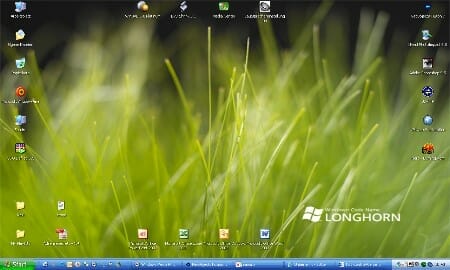
Arbeitswerkzeug
Office-Anwendungen
Allerdings verursachen beispielsweise einige Vollbildapplikationen (Spiele...) oder das Wechseln zu anderen Anzeigegeräten eine Verschiebung der Symbole. Schalten wir beispielsweise auf den Beamer (Liesegang Solid Cinema) so wird die Auflösung reduziert und die Symbole auf den relativ geringen Platz (848x480) zusammengestaucht.
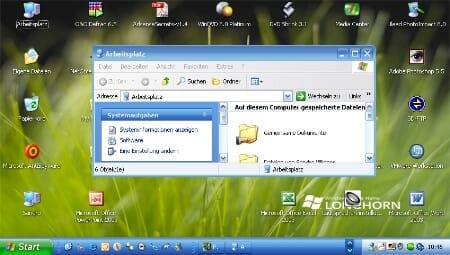
When the resolution is increased, the icons remain in exactly this position and must first be painstakingly rearranged by you. This manual correction and positioning of the icons takes time and must be carried out each time the resolution is changed, the display device is changed, the screen crashes or full-screen applications are used. The Desktop Icon Manager takes care of you and makes these changes automatically. It saves the arrangement of the icons on the desktop and restores them with a click of the mouse...
1. Laden Sie sich den Desktop Icon Manager herunter und starten Sie die Anwendung. Klicken Sie auf Stimme zu/OK/OK/OK, um die Lizenzbestimmungen anzuerkennen und ein Standardprofil anzulegen.
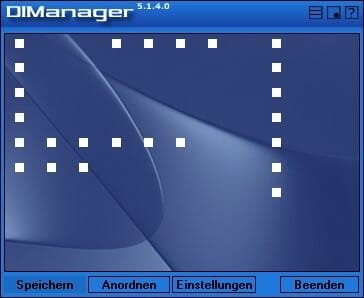
2. Ordnen Sie nun die Icons auf Ihrem Desktop nach Ihrem Belieben an. Rechtsklicken Sie anschließend auf den gedachten Desktop innerhalb des DIManagers und wählen Sie Aktualisieren.
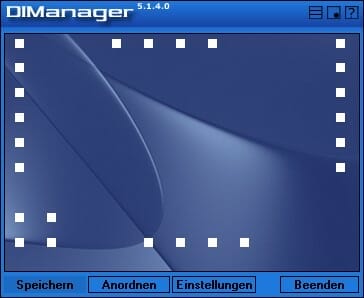
3. Klicken Sie nun auf Speichern/Im Profil speichern... und geben Sie einen Namen wie z.B. Symbolanordnung für Monitor ein. Nach einem Auflösungswechsel klicken Sie auf Anordnen/Aus Profil anordnen... und doppelklicken auf ein gespeichertes Profil.
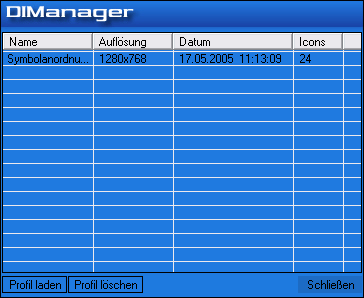
Sie können sich somit eine Reihe von Profilen mit verschiedenen Iconpositionen anlegen, die Ihnen in Zukunft die mühselige Arbeit ersparen.

On Windows Tweaks you will find time-saving tech guides for PC, software & Microsoft. For a stress-free digital everyday life. Already We have been tweaking Windows since 1998 and just don't stop!
