


Quick overview:
Die funktionsarme Ansicht des Windows Me Task-Managers, welchen Sie über STRG+ALT+ENTF erreichen, ist nicht überzeugend. Deshalb erwarten viele Benutzer mehr Informationen welche Dienste, Programme und Systemdateien zurzeit ablaufen, was nicht nur dem möglichen Performancegewinn durch deren Entfernung dient sondern auch hilft Probleme einzugrenzen und zu lösen.
Falls Sie also hinter die Fassaden von Windows schauen möchten, so hilft Ihnen der Process Explorer weiter, welchen Sie von diesem Link herunterladen können.
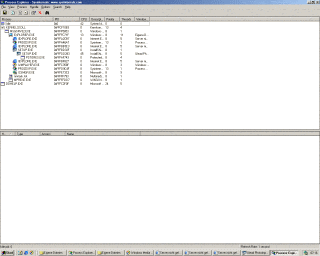
The Process Explorer presents all started applications and which DLL files are used in a clear list. It also clearly distinguishes (in color if desired) the system's own processes (e.g. services) from the applications started by the user (programs such as Media Player, Internet Explorer, etc.).
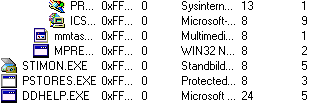
Falls Sie sich in Bezug auf einen unbekannten Prozess wie z.B. alg.exe, BTTray.exe etc. nicht mehr sicher sind was dahintersteckt oder es herausfinden möchten, können Sie zusätzlich die Seite Reger24 aufrufen, welche eine gigantische Auswahl an den meisten bekannten Prozessen hat. Auch Google.de liefert oftmals hervorragende Ergebnisse, wenn Sie den betreffenden Prozess samt .exe Anhängsel eingeben. Dies ist wichtig um Ressourcenverschwender, Viren, Trojaner oder Dialer ausfindig zu machen und zu elimieren.
NOTE FOR NEW PUBLICATION:This article was produced by Sandro Villinger and comes from the Windows Tweaks archive, which has been built up since the late 1990s.

On Windows Tweaks you will find time-saving tech guides for PC, software & Microsoft. For a stress-free digital everyday life. Already We have been tweaking Windows since 1998 and just don't stop!
